How to Get Your Financial Business Found on Google
Today, most people start their search for financial advice online. Whether you’re a financial planner, mortgage broker, accountant, or adviser, your business needs to appear clearly in Google Search and Google Maps. When potential clients look for local financial services, they should be able to find your business quickly and trust what they see.
Getting your financial business found on Google isn’t about luck. It’s about making sure Google has all the information it needs to show your business in the right searches. This guide explains, step by step, how to claim and optimise your Google Business Profile, manage your details, and use SEO to stay visible and attract more clients.
Why Google Visibility Matters for Financial Businesses
Financial services rely on trust. When someone searches for advice, they want to see a credible business with clear information and real reviews. If your business shows up properly in Google Search and Google Maps, it helps people feel confident before they even contact you.
Your Google presence is part of your first impression. It shows your business address, phone number, website, and opening hours. When this information is accurate and supported by reviews and photos, it builds trust. Google also rewards businesses that manage their information well, helping you appear higher in local search results.
Google’s system looks at three main things when deciding where your business appears: relevance, distance, and prominence. Relevance means how closely your profile matches what people are searching for. Distance looks at how close your business is to the person searching. Prominence refers to your reputation online, such as your reviews, mentions, and general visibility. Improving each of these helps your business rank better.
Step One: Add and Claim Your Google Business Profile
To appear on Google, you need a Google Business Profile. It’s free and helps you control how your firm looks in both Google Search and Google Maps. Your profile shows your key business info like name, business address, contact number, website, and opening hours.
To get started, you’ll need a Google Account. It’s best to create one linked to your company’s domain rather than a personal email. Once you’re signed in, go to the Google Business Profile website and select “Add your business”. Search for your business name to see if a listing already exists. If it does, request to manage it. If not, you can create a new one.
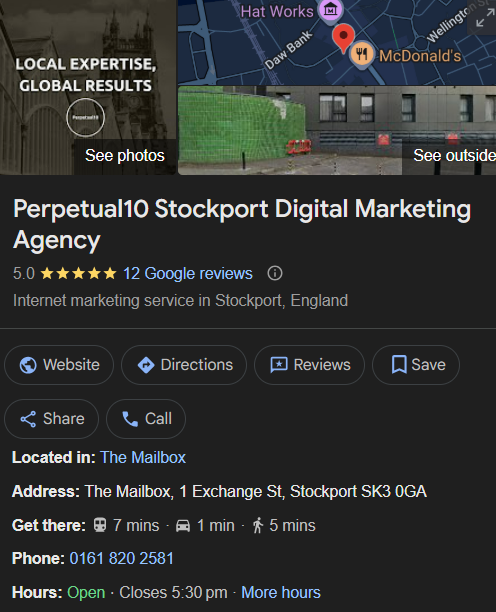
Perpetual10 Google Business Profile
Make sure all your details are accurate. Use your official business address and trading name without adding extra keywords. For example, don’t write “Financial Adviser Manchester” as your business name, as this goes against Google’s rules and could lead to suspension. When you’ve entered your details, Google will ask you to verify your listing. This step is essential because only verified businesses can appear in search and maps.
Verification might involve a postcard, phone call, or short video. Once complete, you’ll have full control over your listing.
Step Two: Manage and Optimise Your Business Information
After verification, your focus should be on managing and improving your business info. Keep it accurate and up to date so Google and potential clients trust what they see.
Contact Details and Service Area
Your name, phone number, and website must match everywhere they appear online. Even small differences can confuse Google’s systems. If your financial firm covers multiple towns or cities, define a clear service area instead of just one address. For instance, a firm based in Manchester could add Stockport, Altrincham, and Warrington to its service area. This helps your profile appear in more local searches.
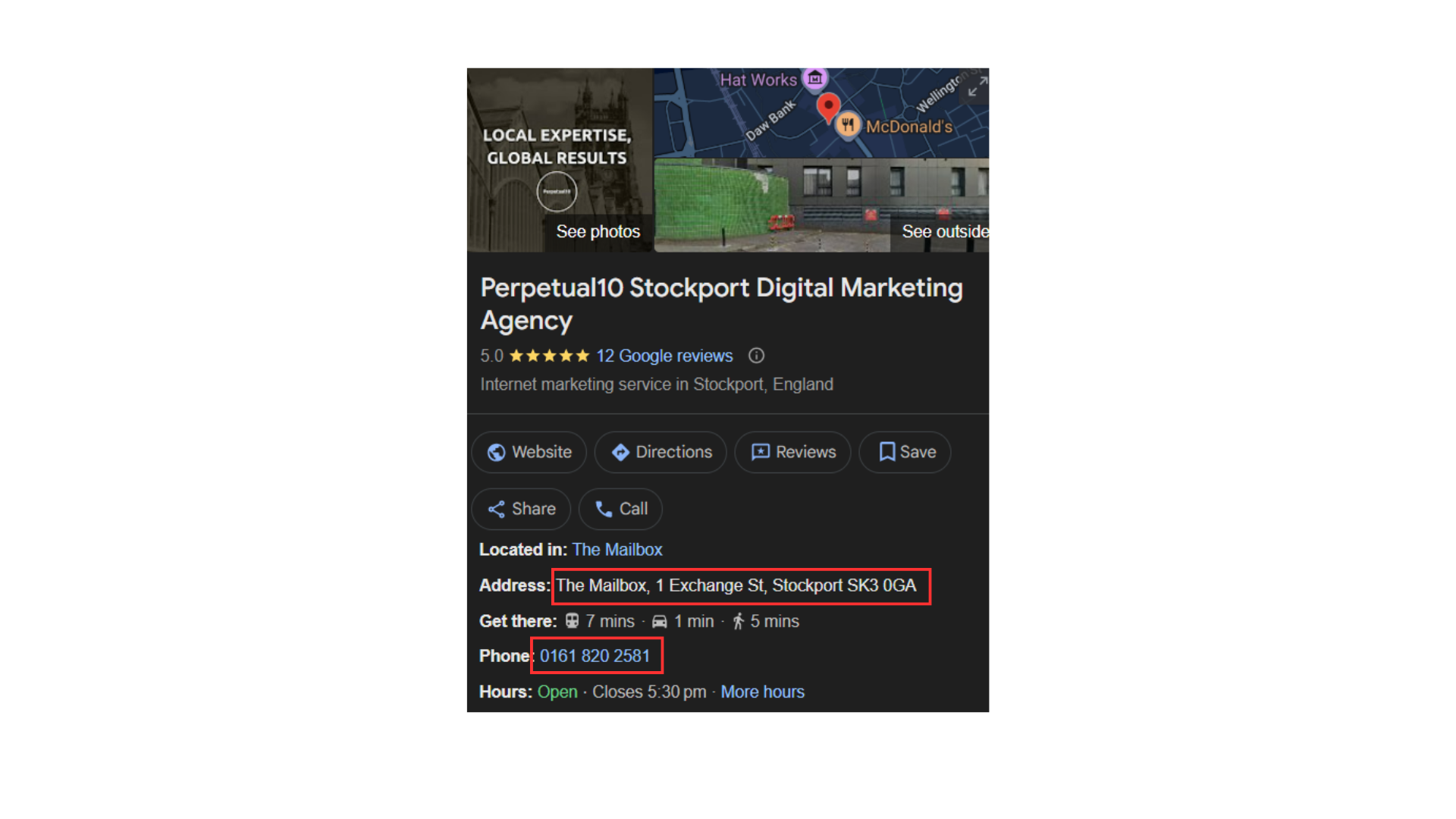
Opening Hours and Availability
Clients need to know when they can contact you, so make sure your opening hours are accurate. Update them whenever you close early, change hours, or have holidays. Google lets you edit both regular and special hours. This prevents frustration from clients who might visit or call when you’re closed.
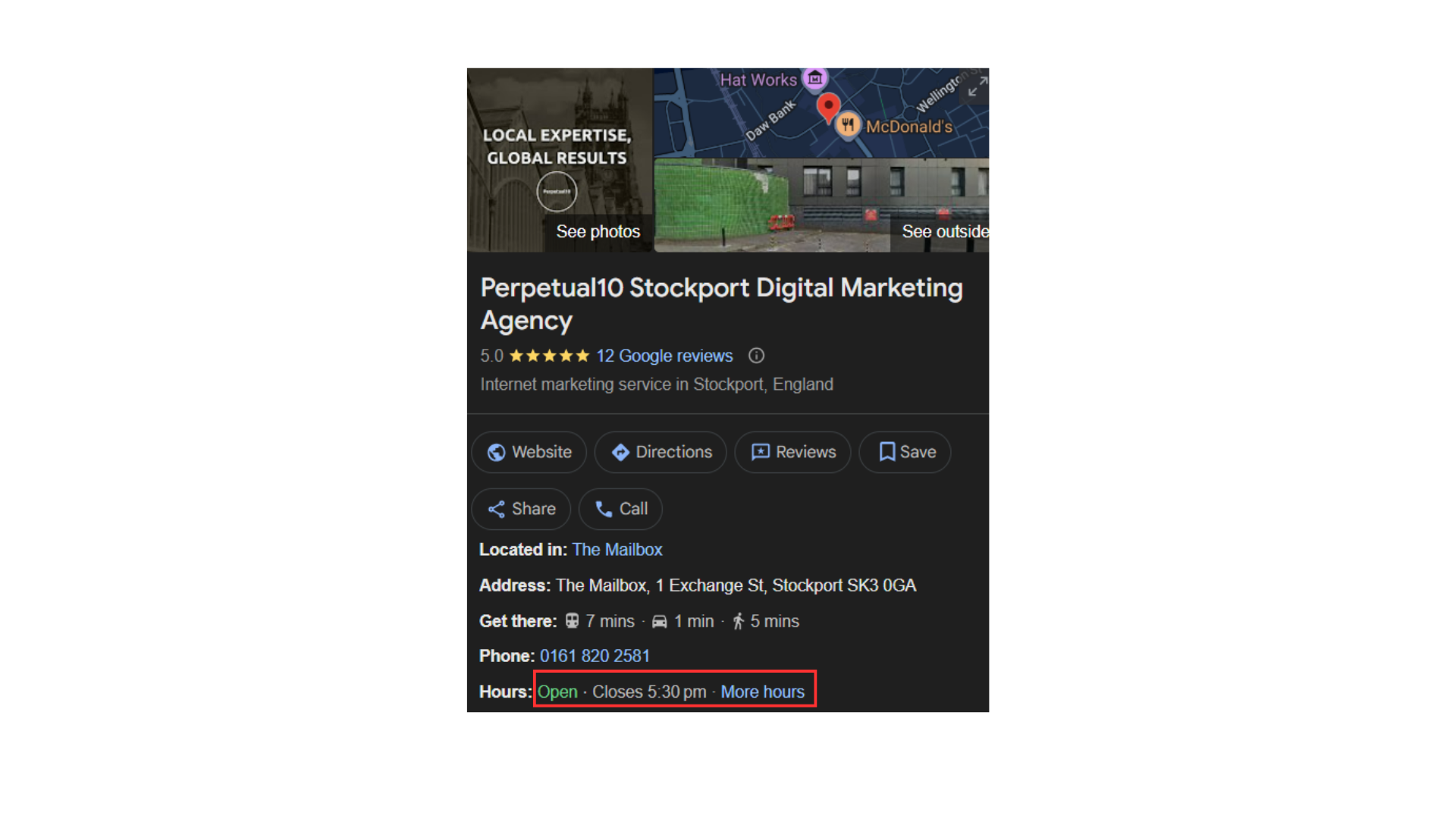
Categories and Description
Choose a main business category that fits what you do, such as “Financial Adviser” or “Mortgage Broker”. You can also add a few secondary categories. Use the description box to explain what your business offers, who you help, and where you operate. Include your FCA registration and note that you’re authorised to give advice. This helps build confidence with potential clients and improves your visibility in search.
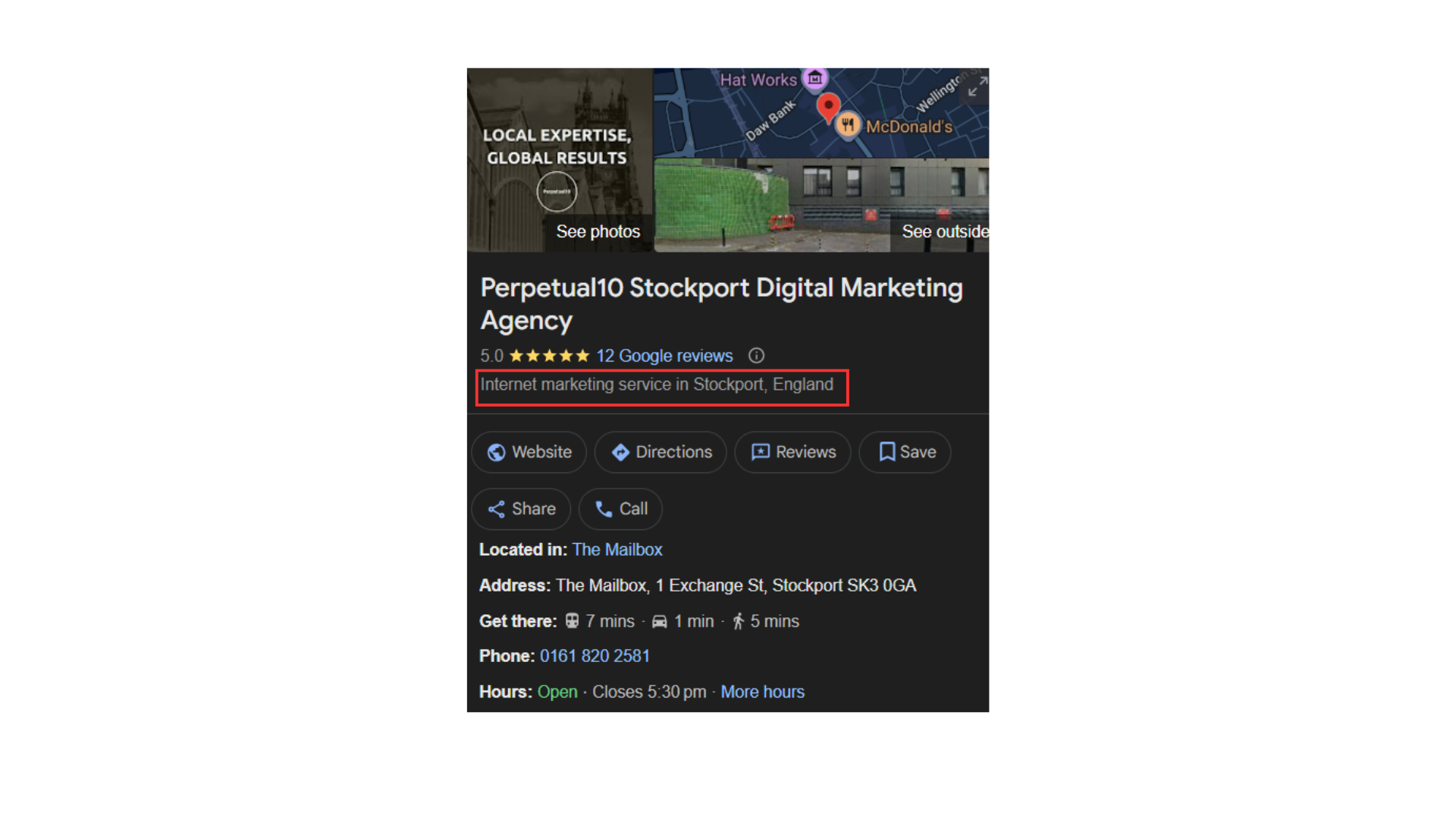
Step Three: Add Photos and a Professional Cover Image
Images might not seem vital for financial services, but they make a big difference. Listings with good photos get more views, clicks, and direction requests. They also show potential clients that your business is genuine and approachable.
Upload a professional cover image that represents your firm. It could be your office, a team photo, or a client meeting space. Use clear, well-lit photos that reflect your brand. You can also include images of your staff, workspace, or community work to show personality. Avoid generic stock photos and make sure your images are high quality.

Image from Sylvan Financial Management
Adding your logo ensures consistency across Google products and strengthens your brand identity. Refresh your photos from time to time so your profile always looks active.
Step Four: Collect Reviews and Respond Professionally
Reviews are one of the biggest factors in how your business shows in search results. Positive feedback tells Google and future clients that you’re trustworthy and reliable. Encourage happy clients to leave a review on your Google Business Profile using the review link found in your dashboard.

Ask for reviews naturally, perhaps after completing a meeting or when sending a follow-up email. Never offer incentives for reviews. When clients leave feedback, always respond politely, even to criticism. Thank people for their comments and address any concerns calmly. This helps build trust and shows professionalism.

Because you’re in a regulated industry, keep your responses compliant with FCA rules. Avoid language that could be seen as promising returns or performance. Over time, a strong review record can make your firm stand out in the local pack of businesses displayed in Google Search and Google Maps.
Step Five: Keep Your Profile Active with Posts and Q&A
Google rewards activity. Businesses that update their profiles regularly are seen as more relevant. You can add updates, posts, and frequently asked questions to your profile.
Google Posts
Posts are short updates that appear on your profile. You can use them to promote blog content, events, or financial tips. Add an image and a short description, then choose a button like “Learn More” or “Book Consultation” that links to your website. Regular updates signal that your firm is active and engaged, which supports your SEO.
Q&A Section
The Q&A feature allows potential clients to ask about your services, pricing, or process. You can also add your own questions and answers to save time. Include information clients often ask, such as “Do you offer online appointments?” or “Are you authorised by the FCA?”. Clear, helpful answers improve your credibility and increase conversions.
Client Messaging
You can also turn on messaging through your Google Account, letting clients contact you directly from your listing. Make sure to respond quickly and professionally. Fast replies improve client satisfaction and your visibility score.
Step Six: Strengthen Local SEO with a Smart Website
A complete Google Business Profile is powerful, but it works best when your website supports it. Google looks for consistency between your site and your profile. Your website should clearly display your business address, phone number, and service areas.

Creating local pages for each office or region is a great way to reach more clients. Each page should have unique text, relevant details, and testimonials. This helps Google understand your coverage area and improves your visibility in both maps and search.
SEO Integration
Search engine optimisation is the long-term approach that makes your business easier to find online. Good SEO ensures your website and Google Business Profile work together. Focus on three main areas:
Technical setup – Make sure your site is fast, secure, and mobile-friendly.
On-page SEO – Use clear titles, headings, and meta descriptions that include your service and location.
Content quality – Publish useful blogs or guides that answer real client questions about financial planning, mortgages, or investments.
Linking your blog content to Google Posts helps connect your site with your Business Profile, improving authority and user engagement.
Step Seven: Keep Your Information Consistent Everywhere
Google cross-checks your details across different websites and directories. If your contact details are inconsistent, it can harm your rankings. Make sure your name, phone number, and business address match exactly wherever they appear online.
Add your business to reliable directories such as Bing Places, Apple Maps, LinkedIn, and the FCA Register. Keep one central record of your key information so it’s easy to update across all platforms. This consistency builds Google’s trust and strengthens your ranking in both maps and organic search results.
Step Eight: Track How People Find Your Business
Once your profile is live, check how people find your business. Your Google Business Profile dashboard includes a Performance section that shows:
How many people saw your listing in Google Search and Google Maps?
What search terms did they use?
How many called, visited your website, or requested directions.
How your photos and posts compare to competitors.
These insights show what’s working and what can be improved. For example, if most visitors find you by searching “mortgage broker Manchester”, you might want to create similar content on your website to build on that strength. Combine these insights with Google Analytics and Search Console to measure your overall SEO performance.
Step Nine: Use Google Ads to Boost Your Reach
Even with a strong organic presence, paid advertising can give your financial business an extra push. Running Google Ads helps your business appear at the top of search results and alongside your Google Business Profile.

You can target specific locations and services, such as “financial adviser in Manchester” or “pension advice near me”. This lets you reach people who are actively looking for your services. When your Google Account, ads, and Business Profile are connected, Google sees your business as consistent and reliable, improving overall visibility.
Ads are especially useful during busy financial periods, like the end of the tax year, when people are actively searching for advice. Combined with ongoing SEO, they help maintain a steady stream of enquiries.
Step Ten: Common Mistakes to Avoid
Many financial firms create a Google Business Profile but forget to keep it updated. This can lead to lost visibility and client confusion. Here are some common mistakes to avoid:
Outdated opening hours: Always keep your hours accurate, including holidays.
Inconsistent business info: Make sure your name, address, and phone number match your website and listings.
Ignoring reviews: Respond to every review to show engagement and professionalism.
Unverified listings: Unverified businesses may not appear in search results.
Wrong service area: If your firm works across multiple regions, list all relevant areas clearly.
If your profile disappears or is suspended, check Google’s rules for representing your business. Most issues come from incorrect names, duplicate listings, or incomplete details. Fix the problem and request reinstatement through your account dashboard.
Step Eleven: How Google Decides Who Appears First
It may seem unclear how Google decides which financial businesses appear first in local search results, but the logic is straightforward. Google prioritises profiles that are complete, consistent, and active.
Relevance: Your listing should match what users are searching for. Use correct categories, a clear description, and accurate services.
Distance: Keep your address and service area up to date so Google knows where you operate.
Prominence: Build a strong reputation with regular reviews, updates, and active engagement across the web.
Financial firms that follow these steps are more likely to appear at the top of search results. Google wants to recommend businesses that are trusted, responsive, and established.
Step Twelve: Keep Improving Your Profile Over Time
Your Google Business Profile isn’t something you set up once and forget about. It needs regular attention to stay visible. Whenever your firm changes address, adds new services, or updates branding, make sure your profile reflects it.

Update your cover image, upload new photos, and post new content every few weeks. Regular activity keeps your listing current and helps maintain visibility. Set a reminder to review your profile quarterly to ensure everything remains accurate and effective.
Conclusion: Turning Google Visibility into Real Clients
Getting your financial business found on Google is achievable with consistent effort and attention to detail. By adding your business, verifying it, and keeping your information updated, you create a strong foundation for online visibility. With accurate business info, clear opening hours, a complete service area, and regular updates, your firm becomes easier to find and more trusted by potential clients.
Visibility on Google is about more than appearing in search results; it’s about building credibility and giving clients confidence to reach out. A strong Google Business Profile supports your wider SEO efforts, helping you grow your digital presence and attract long-term clients.
If you want to improve how your business performs in Google Search and build a stronger online presence, now’s the time to act. Talk to our team to learn how effective SEO and profile optimisation can help your financial firm stand out and attract the clients you want.